Serivice Guide
MISLAND Site Tour
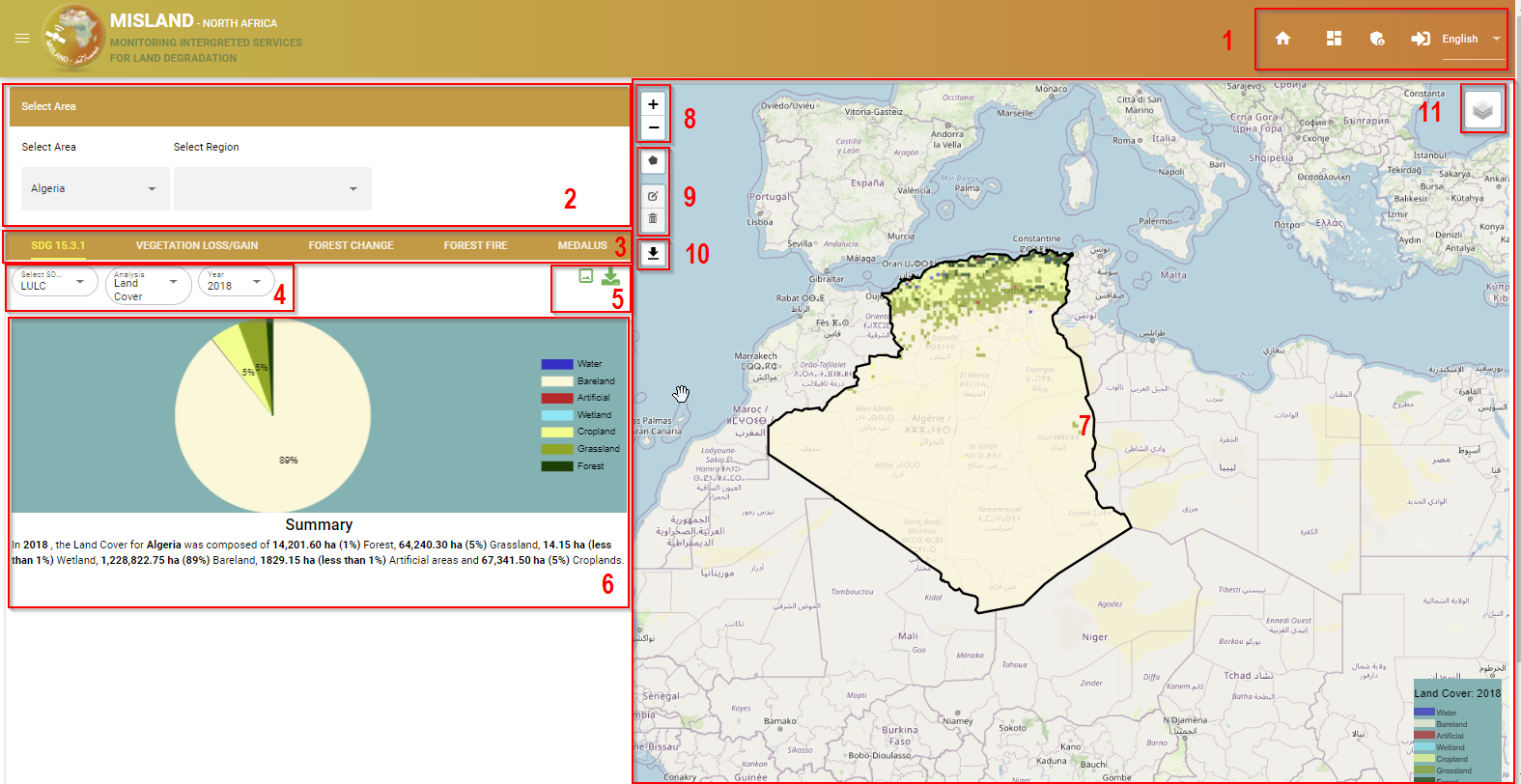
MISLAND Service overview
Site Navigation-bar
Area Selection Panel
Service Menu-bar
Out-put Layer options
Export Data tools
Summary Chart
Map Panel
Map Navigation(zoom in, zoom out)
Draw polygon tools
Export Map tool
Select Base-map
Registration and Log in
New users to the service will be required to register a new account to use the service. Registering a new account is a simple two step process
Click on the log-in icon on the right hand side of the navigation-bar

Finding the log in option
Choose the ‘Not a user? Sing up’ option on the log in menu that pops up
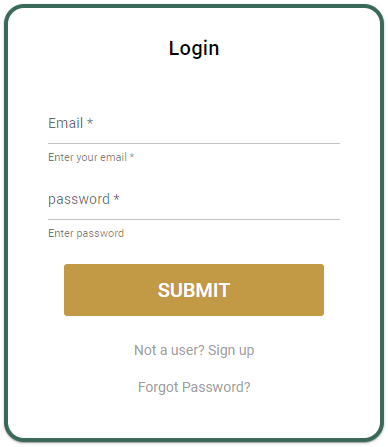
new user registration
Registered users can proceed to log in with their Email and password.